ShopDreamUp AI ArtDreamUp
Deviation Actions



Suggested Deviants


Suggested Collections


You Might Like…


Description
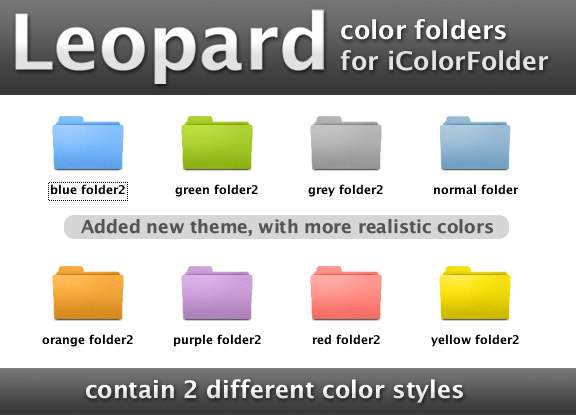
Here's mac leopard skins for iColorFolder. Made with photoshop and reshacker. Hope you like the colors.
Comments are welcome as usual
Installation:
1. Browse your icolorfolder installation directory (should be: C:\Program Files\iColorFolder)
2. Extract folders inside rar-file and put it in the skin folder inside iColorFolder folder.
3. Launch the iColorFolder skin selector and enjoy
Original folder icon copyrighted by Apple Computers.
Added 19.2.2008 new skin. More realistic colors and better quality
Comments are welcome as usual
Installation:
1. Browse your icolorfolder installation directory (should be: C:\Program Files\iColorFolder)
2. Extract folders inside rar-file and put it in the skin folder inside iColorFolder folder.
3. Launch the iColorFolder skin selector and enjoy
Original folder icon copyrighted by Apple Computers.
Added 19.2.2008 new skin. More realistic colors and better quality
© 2007 - 2024 Myssynen
Comments57
Join the community to add your comment. Already a deviant? Log In

GREAT!!!